
Tiger Exchange APK Download — Real 31 MB Android Build, Same Login Inside
Tiger Exchange APK download is one tap on the button below. A file of about 31 MB lands in your Downloads folder, any phone on Android 7.0 or newer installs it, and you allow unknown sources a single time. After that the app opens on the same Tiger Exchange login you already use in the browser.
Tiger Exchange APK Quick Sign-In: Your Existing ID Carries Over
Nothing new to create. The Tiger Exchange APK opens on this form, and the user ID and password that work on the website work here unchanged.
One Tiger Exch account · browser and app
Tiger Exchange APK Spec Sheet: Real 31 MB File, Android 7.0 and Newer
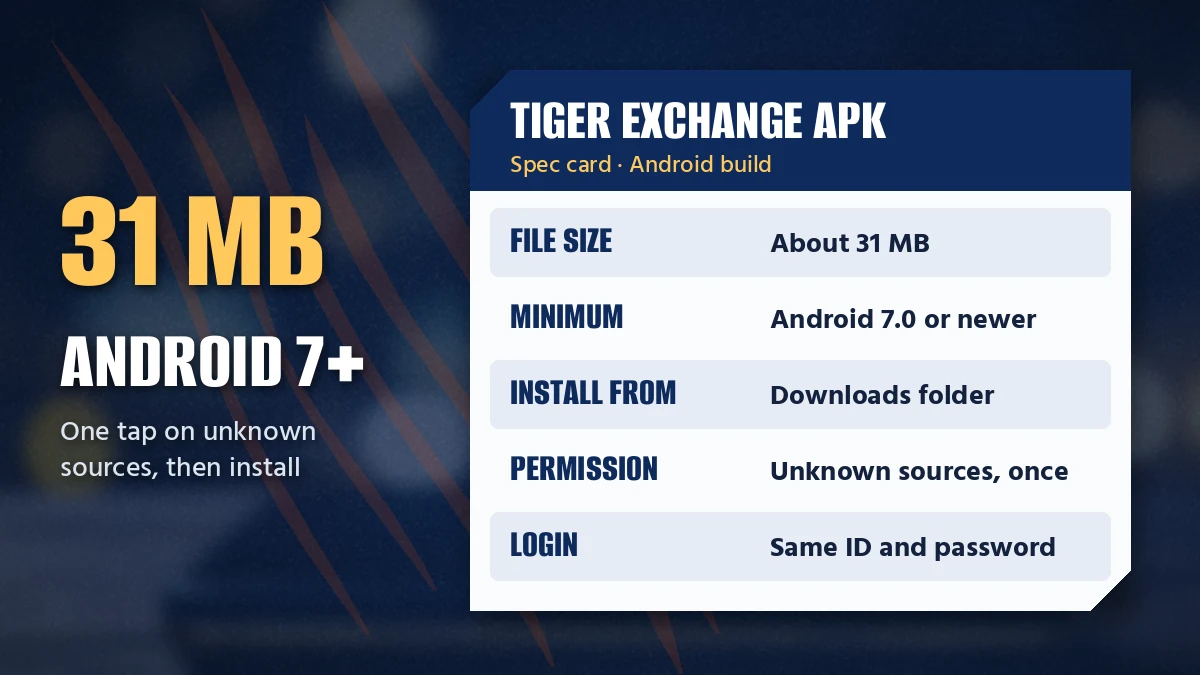
Check two things on the phone before tapping anything. Android version first (Settings, then About phone), free storage second. The Tiger Exchange APK wants Android 7.0 or later and weighs about 31 MB.
- File sizeAbout 31 MB
- Android7.0 or newer
- Saves toDownloads folder
- PermissionUnknown sources, allowed once for the app that opens the file
- LoginSame Tiger Exchange user ID and password as the website
- BuildLatest, served by the download button on the day you tap it
That last row is on purpose. We do not print a build number here, because it moves with every release and a stale number is worse then none; the button always hands out the current Tiger Exchange APK, so whatever you fetch today is the one to install.
Easy Tiger Exchange APK Download Steps, Downloads Folder to First Login
Five steps. Only the third one trips people up.
- Tap the download button. Open this page on your Android phone and tap Download Tiger Exchange APK; the file of about 31 MB saves to Downloads.
- Find the file. Pull down the notification shade or open your Files app, then tap the Tiger Exchange APK once it shows its full size.
- Allow unknown sources once. Android asks for permission for the browser or file manager that opened the file; switch it on, then go back.
- Install and open. Tap Install, wait for Android to finish, then tap Open.
- Sign in with your existing ID. Enter the same Tiger Exchange user ID and password you use on the website; the balance is already there.
Why only once? On most recent Android phones the unknown-sources switch belongs to one app, say Chrome, rather than to the whole phone. Once Chrome has it, the permission stays, and the next Tiger Exchange update skips that detour entirely.
After login the first screen is the live Tiger Exchange board, the same feed the website shows:
Tiger Exchange APK Old Version or Latest Version: Which File to Keep
People look for the Tiger Exchange APK old version for a couple of usual reasons. The new screen looked unfamiliar, or somebody forwarded an older copy that still opened on their phone. Our view is short: keep the Tiger Exchange APK latest version, and replace anything older.
| Point | Old Tiger Exchange APK | Latest Tiger Exchange APK |
|---|---|---|
| Signing in | May fail if the sign-in flow has changed since it was built | Takes user ID and password, or mobile and OTP |
| Board and markets | Frozen at whatever existed on its build day | Matches the live website board |
| Where it came from | Often a forwarded chat file | The download button on this page |
| Updating | May need an uninstall first if the source differs | Installs straight over the previous copy |
Tiger Exchange 365 Pro APK — What That File Name Means
We do not publish a separate Tiger Exchange 365 Pro APK. The 365 label belongs to an address, not to an app, and the ordinary Tiger Exchange APK reaches the very same account with one ID and one balance; the Tiger Exchange 365 address and its withdrawal timing have their own page. A file called 365 Pro turning up in a group chat did not come from us.
Tiger Exchange APK for Android Tablets
Same file, no tablet-only build to hunt for. An Android tablet on 7.0 or newer installs the Tiger Exchange APK exactly the way a phone does: from Downloads, with the same one-time permission. (Some tablets hide Downloads inside a Files app, so search for the file name if it is not obvious.)
Tigerexch APK Download Terms in One Clear Ledger
Every name people type for this file leads to one download. Tigerexch APK, Tiger Exchange APK and Tiger Exchange app download APK are three spellings of the same Android package, and each row below matches a search to what it actually gets you on Tiger Exchange.
Seven Tiger Exchange APK Searches, One Android File
Open the Tigerexch APK search ledger
- Tigerexch APK download
- The short-name search. Same 31 MB Tiger Exchange file, same button, saved to Downloads.
- Tiger Exchange APK
- The Android package itself, for phones and tablets running 7.0 or later.
- Tiger Exchange app download APK
- The direct file for anyone whose Play Store search came up empty; it installs after one unknown-sources permission.
- Tiger Exchange APK latest version
- Whatever the button serves today. Install it over any older copy.
- Tiger Exchange APK old version
- Deliberately absent from this page; an outdated build tends to stall at sign-in, so replace it.
- Tiger Exchange 365 Pro APK
- No separate file exists; the 365 address runs on the same ID inside the normal app.
- Tiger Exchange APK for Android
- Phones and tablets on 7.0+, nothing else. An iPhone takes the Safari shortcut route.
Tiger Exchange App Download APK Errors and the Quick Fix for Each
Android words its install errors tersely. Find the wording your phone showed in the first column; the second says why it happened on a Tiger Exchange file, the third what to tap next.
- App not installedAn earlier Tiger Exch build from some other download still sits on the phone, or storage has run outRemove that earlier build, clear room, reopen the file
- Problem parsing the packageThe phone runs Android 6 or older, or the file arrived cut shortConfirm 7.0+ under About phone, then fetch the file again
- Install blockedThe browser or file manager has no unknown-sources permission yetGrant it in Settings for that one app and return
- Login refused in the appA mistyped password, or an outdated buildType the website credentials; swap to the latest Tiger Exchange APK
- Board stays blankYour network may be blocking one Tiger Exchange addressCheck which address works today on the Tigerexch AI address list
A pattern the desk sees often goes like this. Someone installs a file a cousin sent, the login fails twice, and they assume the account is locked. It is not locked at all; the file is just old, and fetching the latest Tiger Exchange APK sorts it out in about the time the download takes.
Still stuck after all five rows? Text the Tiger Exch WhatsApp desk at +91 81097 11726, which answers round the clock, and mention the exact error wording.
Safe Install Questions About the Tiger Exchange APK
- Can I still download the Tiger Exchange APK old version?
You can find old copies around, but the latest build is the one to use. Older Tiger Exchange APK files may refuse to sign in or miss board changes. If you already have one, install the new file over it; your ID and balance sit on the account, not inside the phone.
- How do I get the Tiger Exchange APK latest version?
Tap the download button on this page from your Android phone, since it always serves the current Tiger Exchange APK. The file, about 31 MB, saves to Downloads. Open it there, install it over any earlier copy, and sign in with the same user ID and password as before.
- Is the Tiger Exchange APK safe to install?
Yes, when the file comes from the Tiger Exchange download button and not from a forwarded chat attachment or an unknown file site. Android shows an unknown-sources prompt because the app is installed outside Play Store; that prompt is normal and only needs allowing once for the app that opens the file.
- How big is the Tiger Exchange APK file?
The Tiger Exchange APK is about 31 MB. If the file sitting in Downloads shows far less than that, the transfer broke off midway and Android will refuse it. Delete that partial file, fetch it again on a steadier connection, and check the size before tapping it.
- Is there a Tiger Exchange APK for iPhone?
No. APK is an Android-only format, so Tiger Exchange has no iPhone file to download. iPhone owners reach the identical account through Safari with a home-screen shortcut instead, and the user ID, password and balance there match what an Android phone shows after installing.
- How do I update the Tiger Exchange APK?
Download the latest Tiger Exchange APK from the same button and install it on top of the old one. Android treats it as an update, so you normally do not need to uninstall first. Your user ID, password and balance live on the account, so nothing is lost.
- tigerexch apk
- tiger exchange apk
- tiger exchange app download apk
- tigerexch apk download
- tiger exchange apk old version
- tiger exchange apk latest version
- tiger exchange 365 pro apk
- tiger exchange apk for android
- tiger exchange apk kaise download kare